
Things 3 for Windows: no official app
There is no official Things 3 for Windows or the web. Remote into a Mac for a quick look, or start free and keep one list on a Windows app, the web, and iPhone.

TL;DR: Things 3 does not run on Windows. Cultured Code sells it for Mac, iPhone, iPad, and Vision Pro only, and Things Cloud won’t open your list in a browser. Remote into a Mac if you only need a look. If you work the list on a PC, Done Bear keeps Inbox through Someday on Windows, the web, and iPhone.
Start free on Windows now · Import from Mac when ready.
Cultured Code never shipped Things for Windows
There is no official Things 3 app for Windows. Cultured Code’s device list names Mac, iPhone, iPad, Apple Watch, and Apple Vision Pro. Each platform is a separate purchase, and the Watch app comes with the iPhone app. Windows, Android, Linux, and browsers are unsupported.
Some download sites list “Things 3 for PC” with a Windows button. Cultured Code publishes no Windows build, so whatever that button installs did not come from Cultured Code.
Things Cloud syncs those Apple devices with each other. It is not a site you can sign into from a PC. There is no Things 3 web version either (last checked 27 September 2026), and Things 3 in a web browser covers what works instead.
A remote Mac is the only way to keep using Things
No Windows compatibility setting runs the Mac app. Screen sharing or a hosted Mac works for a weekly check, but the Mac has to stay awake and every change waits on a connection. Mail to Things can drop a task into Inbox, but you can’t see, sort, or complete the list from Windows.
| Path | Windows app | See the list | Offline on a PC |
|---|---|---|---|
| Things 3 | No | No | No |
| Remote Mac | No | Through the Mac | No, the Mac must stay awake |
| Mail to Things | No | Inbox capture only | No |
| Done Bear | Native app | Windows, web, phone | Web app, once loaded; Windows app, if open |
The five lists you want on a PC
- Inbox: written down, not sorted
- Today: doing today
- Upcoming: starts later
- Anytime: when you have time
- Someday: later on purpose
If a replacement makes you rebuild these from filters, you’re maintaining a different system.
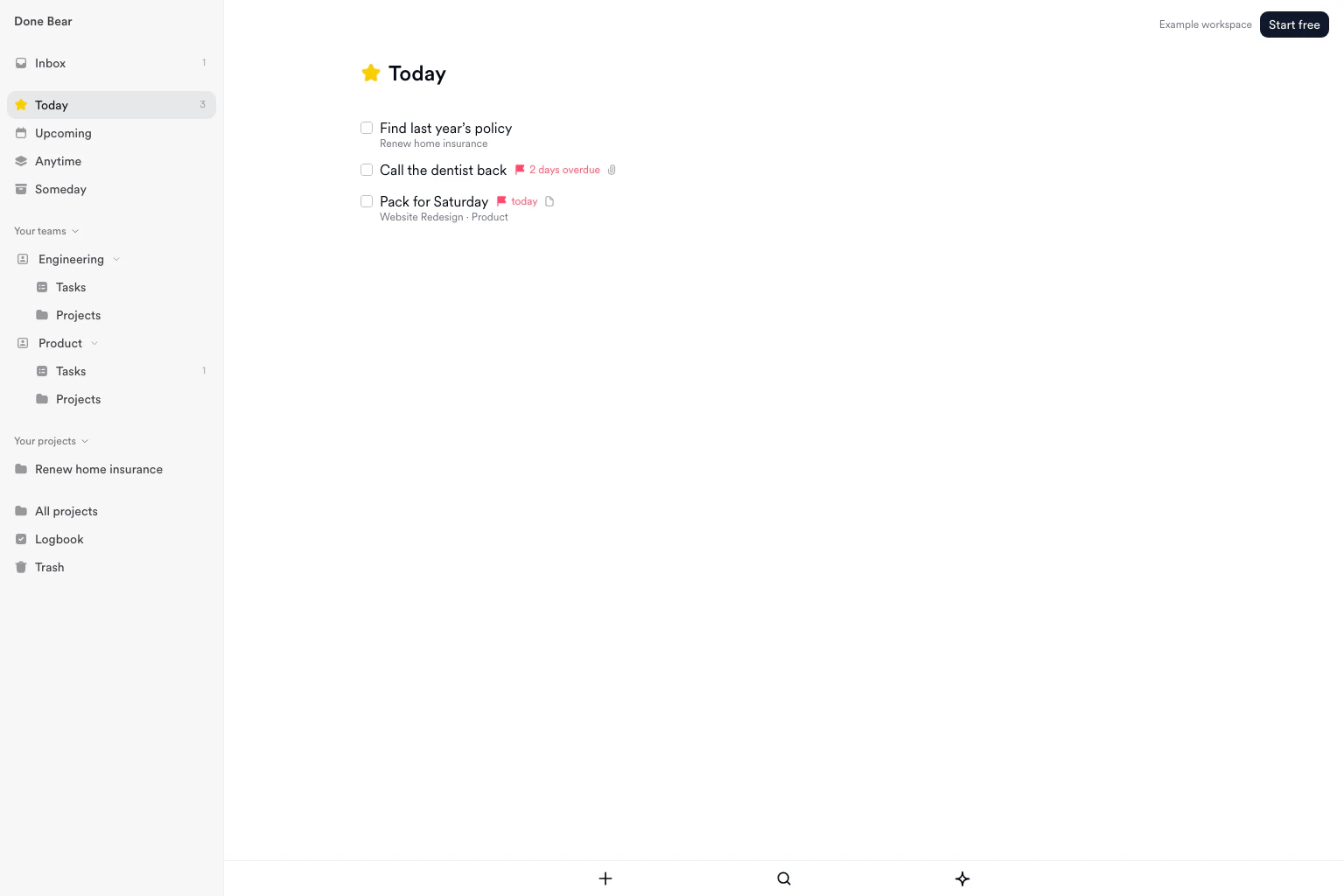
The same five lists in Done Bear, on the web and in the Windows app.
Stay on Things if the PC is the exception
Stay if:
- Every device you work the list on is a Mac, iPhone, or iPad, each paid for once, with no subscription.
- The PC is a machine you visit, not where you plan. Mail to Things covers capture, and a weekly remote look covers the rest.
- You rely on This Evening, or on repeats set to run after completion that end on a date or after a set number of times. This Evening doesn’t survive the import, and those repeats lose their end.
Use Todoist if you need Android this week (Todoist for Windows covers it on a PC), or Microsoft To Do for Outlook lists. Things 3 alternatives compares more.
Done Bear on Windows
Done Bear has a Windows app and a web app. Both use Inbox, Today, Upcoming, Anytime, and Someday. The same account works on macOS, Linux, and iOS. Android is a waitlist, not a store listing.
“The app is amazing. I like the Things app, but I can’t use it because I also use Windows.”
A Done Bear user
The Windows app loads the Done Bear web app, so it needs a connection to start. Once it’s open, it keeps a copy of your tasks, and you can keep adding, editing, searching, and completing them if the connection drops. Changes sync when it returns. To open your list with no connection at all, use the web app in a browser where you have opened it online before. The web app is also the one for a work PC that blocks installs.
If the app you’re missing is Reminders, read Apple Reminders on Windows.
Start free and keep this list. No card. Free up to 250 tasks, and completed tasks count toward that. Current limits are on the pricing page.
Move the list without touching Things
Things has no export button. Cultured Code’s Exporting Your Data article points to the database file, and Done Bear imports a copy of it. It never writes back to Things.
Start free and open the Things importer. Once the list is in your account, it syncs to the Windows app.
If Things is on a Mac:
- In Finder, press ⇧⌘G and paste
~/Library/Group Containers/JLMPQHK86H.com.culturedcode.ThingsMac. Open theThingsData-…folder, thenThings Database.thingsdatabase. - Copy
main.sqliteto your Desktop. Copy it, don’t move it. - In Done Bear, open Settings, then Import, then Import from Things 3, and choose the copy. You can also do this in the Windows app.
- Check the preview counts, then confirm.
If you have an iPhone and a PC but no Mac:
- In Things on the iPhone, open Settings, General, Diagnostics, Enter Code, type
491348, then tap Send Things Database. - Save
Things Database.aarto Files. - In the Done Bear iOS app, open Settings, then Import, then Things, and choose that file. The web and Windows importers can’t open an
.aaryet.
You can also import from the terminal on a Mac.
To keep a copy of the list outside either app, convert the Things database to a CSV file in the browser.
Running both for a week? Import a fresh main.sqlite at the end. Add new items only brings across what you added in Things and leaves your Done Bear edits alone.
What the import keeps, and what it drops
Each to-do lands in the list it was in, from Inbox to the Logbook, with its notes, checklist, tags, deadline, reminder and repeat. Today keeps its order, and completed to-dos keep their completion date. Projects keep their headings, notes and deadline. Each area becomes a team (a shared space) with only you in it, and a nested tag becomes one label, such as Work / Calls.
Check these after the import:
- This Evening: those to-dos land in Today, without the evening split.
- Repeats that end: a repeat on a fixed schedule keeps its end date or count and stops where it would have in Things. A repeat set to run after completion comes across without its end, so it keeps going. The import preview names each one so you can stop it yourself.
- Canceled to-dos: they go to Trash, not the Logbook.
- Tags on an area or project: each to-do inside gets the label instead.
- Project start dates and Someday projects: the project arrives active, and its to-dos keep their own lists.
- Contacts: not imported.
Read the preview before you confirm. It shows the counts before anything is written. The Things 3 migration guide maps every field.
Frequently asked questions
Is there a Things 3 for Windows?
No. Cultured Code sells Things 3 for Mac, iPhone, iPad, Apple Watch, and Apple Vision Pro only. There is no Windows installer to download. Things Cloud syncs those Apple devices with each other, and it is not a site you can open on a PC.
Can I use Things 3 in a browser on Windows?
No. There is no Things web app, and Things Cloud only syncs Apple devices, so no login page shows your list. Mail to Things can drop a task into Inbox from any computer, but you can’t see, sort, or complete the list in a browser.
Can I remote into a Mac and keep using Things?
Yes, for a quick look. Screen sharing or a hosted Mac runs the real Things app, but the Mac has to stay awake and every change waits on a connection. It suits a weekly check. It wears out if the PC is where you work the list.
How do I move a Things 3 list onto Windows?
Import a copy of the Things database. On a Mac, copy main.sqlite. With only an iPhone, send the database from Things Diagnostics and import it in the Done Bear iOS app. Check the preview, confirm, then open the same account on Windows. Done Bear never writes back to Things, so keep it until you have checked the result.
What should I use instead of Things 3 on Windows?
Stay on Things if every device you care about is Apple. Use Todoist if you need Android this week, or Microsoft To Do for Outlook lists. Use Done Bear for Inbox through Someday on Windows and the web, with the same list on Mac and iPhone. Start free, no card.
Sources
- Cultured Code: Getting Things for supported devices and unsupported platforms.
- Cultured Code: Syncing with Things Cloud for sync, browser access, and sharing limits.
- Cultured Code: Exporting Your Data for the missing export button, the database location on a Mac, and the Diagnostics code on iPhone and iPad.
- Microsoft Support: Set up Microsoft To Do for Windows, web, and Outlook.
- Todoist: Plans, pricing, and billing FAQ for its current plans and platform list.
- Done Bear: Windows for the native Windows app and five GTD views.
- Done Bear: Migrate from Things 3 for the concept map and a read-only import.
Import your list
Create your account, then preview your import before adding tasks. Keep your original list while you check the result. Free up to 250 tasks, completed tasks included. No credit card.
Get new posts by email
New writing on GTD, local-first software, and building a calm task manager, sent when it is published. Nothing else, and you can leave any time.